


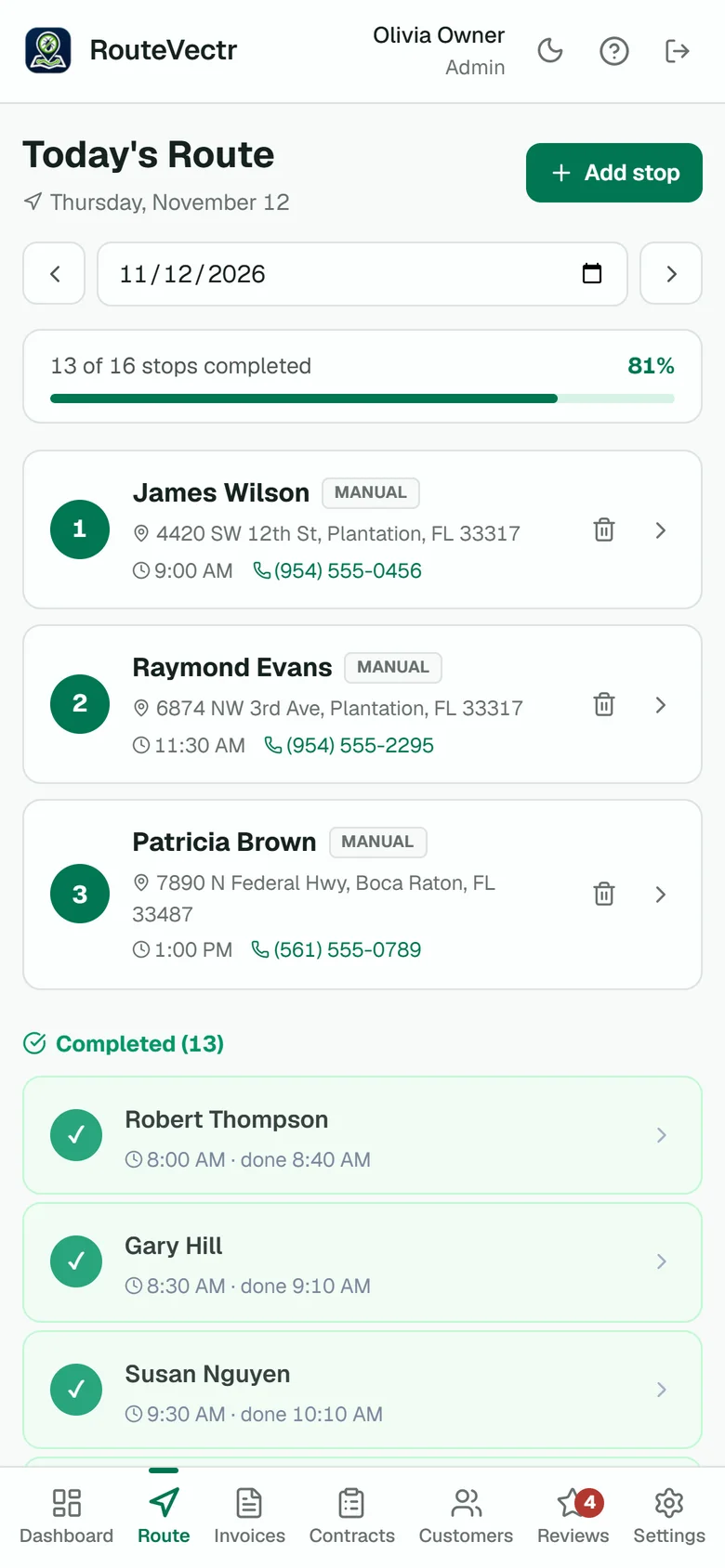
Open the scheduled stop.
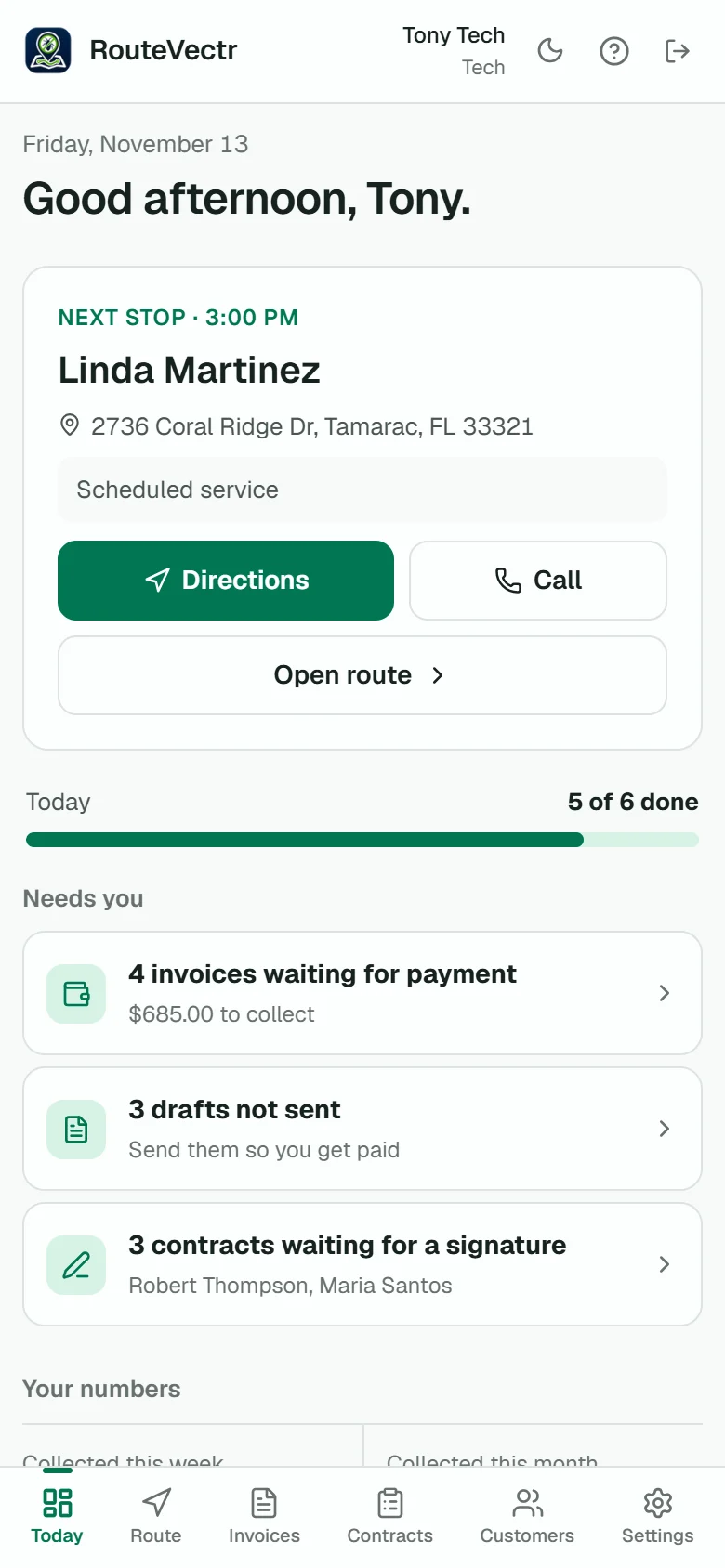
Each tech sees their stops for the day with the address, the time and the customer's number. Tap the address for directions.
- Directions open in Google Maps
- Add a stop from the field
- See how much of the day is done
Get more pest control jobs done without spending more hours running your business. RouteVectr simplifies routes, paperwork, and payments so you can reclaim your time and focus on growth.
For owners who want to run the field work, answer more inquiries and follow up with customers, without piecing together separate systems on their own.
Write the service record and the invoice at the visit, not at the kitchen table.
Keep each customer's details, treatments and service history in one record.
Send each invoice with a pay link, and see what is still owed at a glance.
A signed service agreement puts each visit on the schedule for the right tech.
Finish the visit with the record, signature and invoice in place.
Plan visits and assign technicians
Keep customer details and service history
Record pests, products and amounts
Create contracts and collect signatures
Create and email invoices
Let customers pay online
Track your team's work hours
Organize inquiries and request reviews
Follow one stop from the route to the invoice. Screens use sample data.
Each tech sees their stops for the day with the address, the time and the customer's number. Tap the address for directions.
Pick the products you applied and their EPA numbers fill in from your own product list. Add the amounts, the pests and the areas treated.
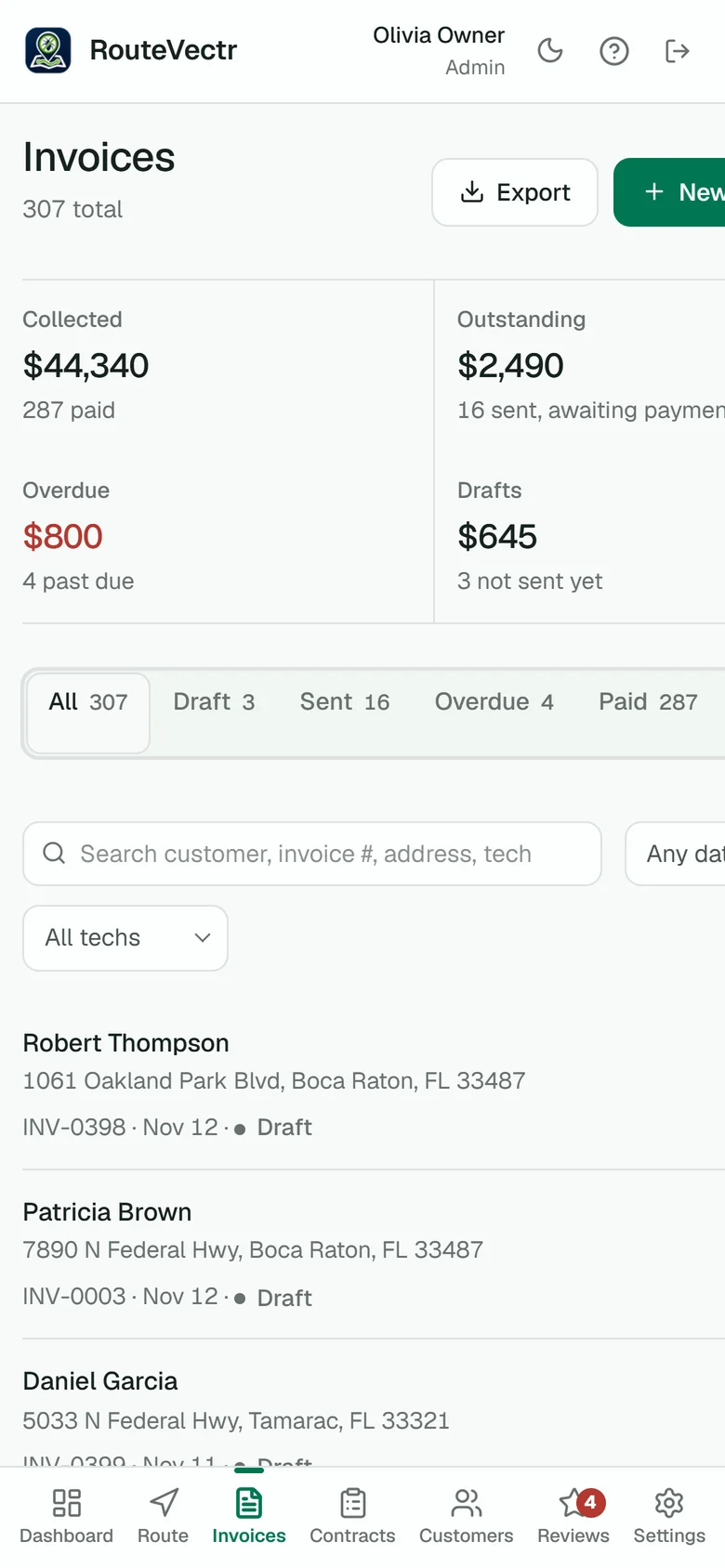
The invoice is built from the visit record. The customer signs on your phone, and so does the tech. New service agreements are signed on the customer's own phone.
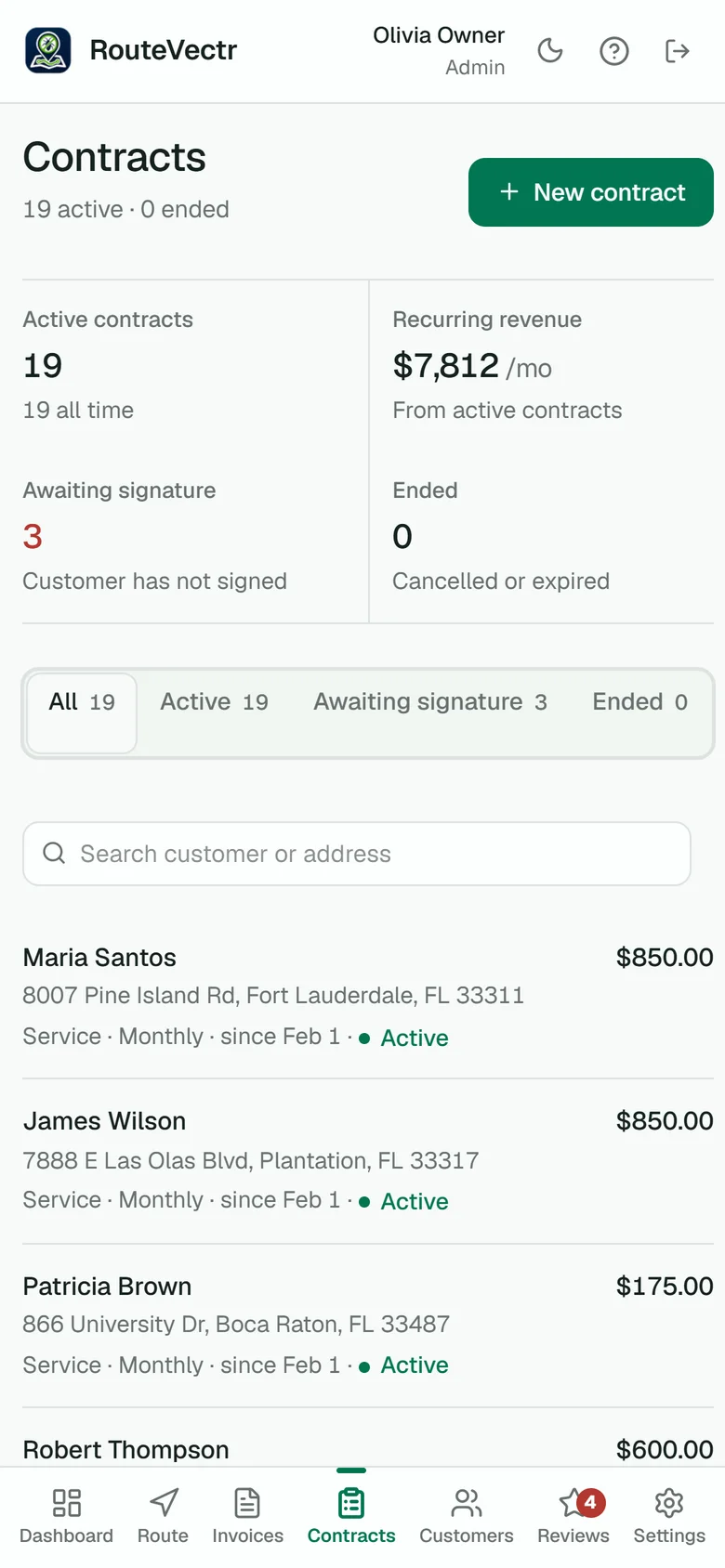
The invoice goes to the customer's email with a pay link. They can pay by card on their phone right away or later, and the invoice marks itself paid. The money goes to your own Stripe account.
Join the waiting list now. We set everything up for you, and you start with a 14-day free trial.
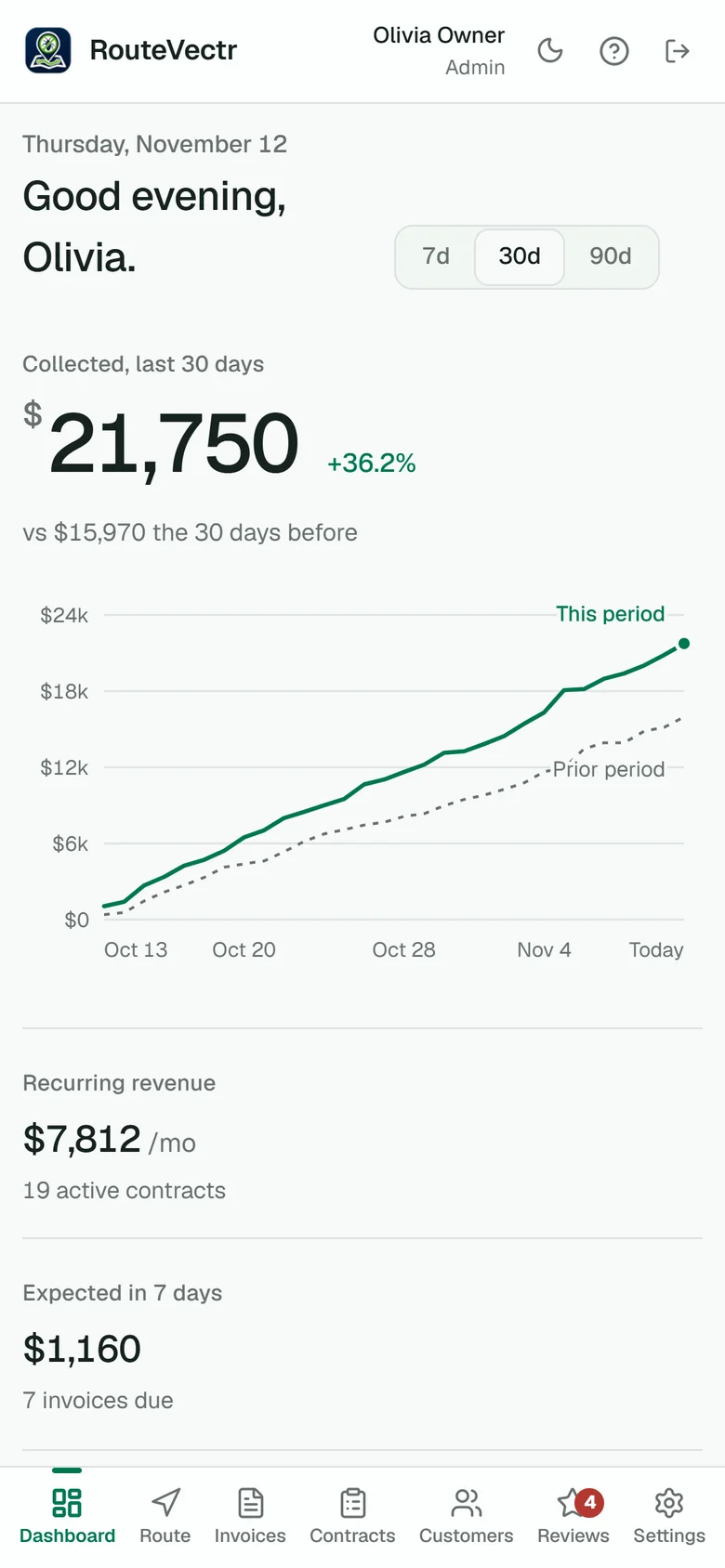
Save my spot No contract. Cancel anytime.The dashboard shows what got done, what is left, what you collected and what is still owed, plus a short list of things only you can clear.
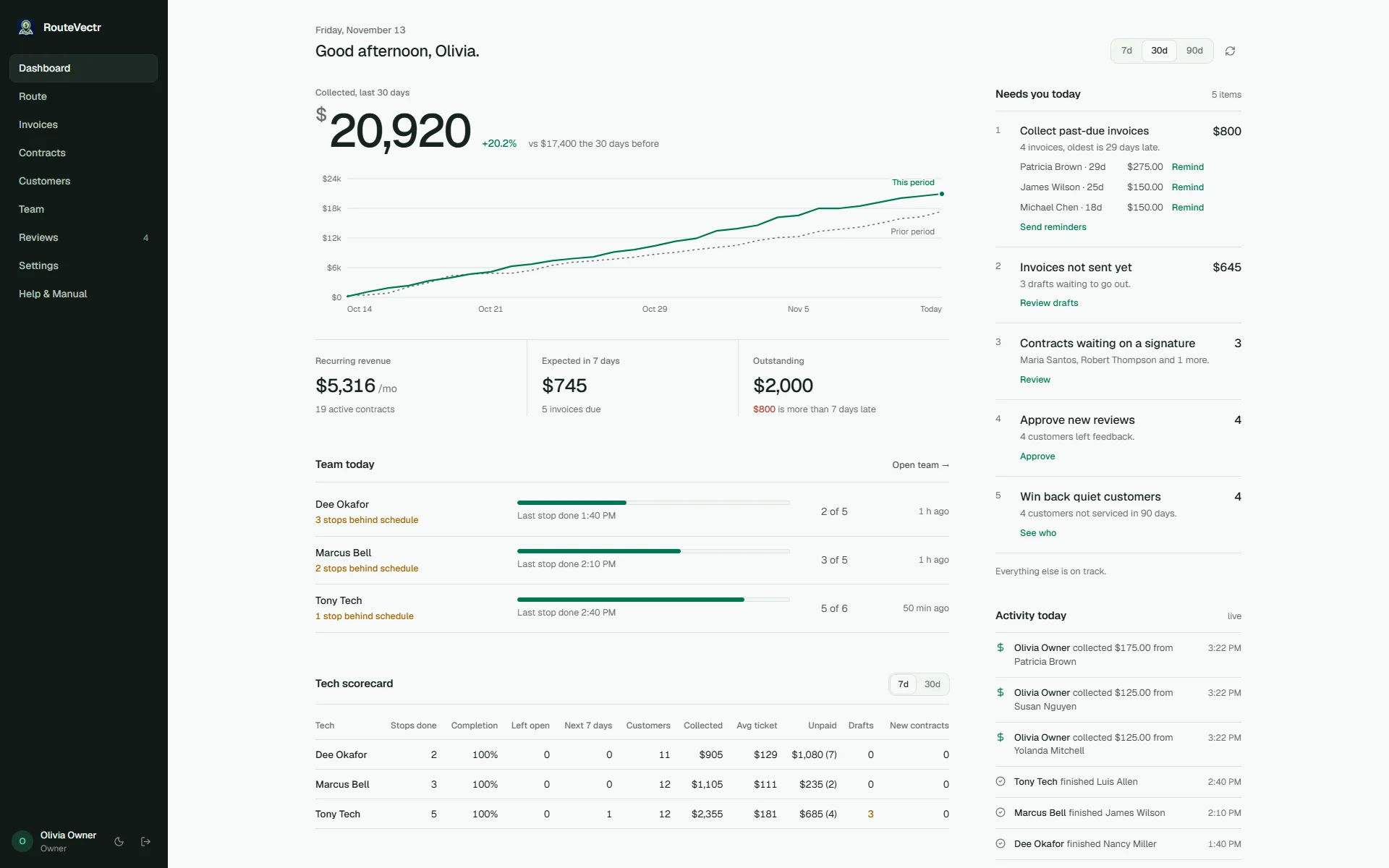
Each tech's stops for the day, finished and not, and their last completed stop. Built from the work they record, not GPS.
What you collected this period, the invoices still outstanding and the ones that are late.
Past-due invoices, drafts not sent and contracts not signed, each with a button that clears it.
Monthly, every-two-months and quarterly agreements put their visits on the route 60 days ahead, for the customer's own tech.
You run your business. We get RouteVectr ready to use. The setup fee is waived.
Pick Essential, Growth or Pro. The setup fee is waived, and you can change plans later in Settings.
We meet on Zoom to learn how you work: your services, customers, team and how you take calls. Send us your customer list and products as a spreadsheet or an export.
We build your company in RouteVectr, load your customers and products, add your team and set up your customer tools, plus the AI receptionist on Growth and Pro and the follow-up caller on Pro. You connect your own Stripe account, and we walk you through it.
Your techs sign in from the browser on their phone, with short training videos in the app. Your 14-day free trial starts on launch day. Questions? Call (954) 350-0012 or email support@routevectr.com. A person answers.
Watch the 1:26 video. Every unpaid invoice is a job you did for free. See what changes when the visit closes with the paperwork done.
Missing calls while you work? Following up on quotes by hand? Growth and Pro add AI help with calls and paperwork. We set it all up, and the AI calling runs alongside the app.
The tech says what they did and the invoice fills in. They check it before saving.
Growth and ProA suggested ID from a pest photo, for your techs and on your website.
Growth and ProAnswers incoming calls while you work and takes the job details.
Growth and ProThe AI helps book the visit while the caller is on the line.
Growth and ProCalls the leads and customers you choose.
Pro onlyEvery plan runs the daily work. Pick how much help you want with calls.
3 team members, plus you.
5 team members, plus you.
15 team members, plus you.
Setup is done for you, and the setup fee is waived on every plan. See the full plan details
December 1, 2026. Everyone on the waiting list gets an email that day with a link to set up your company.
Essential runs the daily work: stops and routes, customer and treatment records, service agreements with e-signatures, invoices and card payments, and a time clock. It also includes customer tools for keeping new inquiries organized and asking for reviews. It covers 3 team members plus you. It does not include AI calls.
An AI receptionist that answers your incoming calls and helps book appointments, with 150 minutes of AI calls a month. You also get Speak2Invoice, which fills in the invoice from what the tech says, Pest ID in the app and on your website, and technician hours with estimated pay. It covers 5 team members plus you.
An AI follow-up caller that calls the leads and customers you choose. Your AI call time goes to 300 minutes a month, shared between incoming and outgoing calls. That replaces Growth's 150 minutes; it is not added to it. Pro covers 15 team members plus you.
No. Outgoing AI follow-up calls are on Pro only. On Growth, the AI answers incoming calls and helps book appointments.
CRM stands for customer relationship management. Here it means one place for new inquiries and customer contact details, so leads do not get lost in texts, voicemails and sticky notes. Every plan includes one, and we set it up for you.
We do. You choose your plan, then we meet on Zoom to learn your business. We set up RouteVectr, your customers, products, team and customer tools, plus the AI calling on Growth and Pro. The one step only you can do is connect your own Stripe account, and we walk you through it. Your 14-day free trial starts on launch day, not on the day you sign up.
Setup normally costs $299 on Essential, $997 on Growth and $1,497 on Pro. We are waiving it.
Your team runs the day in the RouteVectr app: stops, records and invoices. The customer tools and AI calling have their own sign-in, and we set them up and give you access during setup.
Essential includes 3 team members, Growth 5 and Pro 15, plus you, the owner. Team members are everyone else on the account: technicians, admins and office staff. Each extra team member is $50 a month.
Growth includes 150 AI call minutes a month and Pro 300. Website Pest ID includes 100 identifications a month. We will publish what happens when you go over before launch.
Pest ID suggests what a pest is from a photo. Techs can use it in the app, and you can add it to your website so homeowners upload a photo and ask you for an inspection, which reaches you as a lead. It is a suggestion, so confirm it on the inspection. It is on Growth and Pro.
Join the waiting list before December 1, 2026 and $97 a month is locked in for as long as you stay. Joining the list is free. Your 14-day free trial needs a card on file, and there is no contract. Cancel anytime.
No. RouteVectr runs in the browser on any modern phone, tablet or computer. Techs sign in and their route is there.
You connect your own Stripe account. Customers pay by card from the invoice and the money goes to your Stripe account, not ours. Stripe charges its normal card processing fees. RouteVectr adds no per-invoice fee.
Cancel any time from the billing screen. You keep access to the end of the month you paid for, and you can export your records as a spreadsheet (CSV) while your account is open.
Yes, for now. RouteVectr is built with a working pest control company, so the invoice carries the products you applied, the pests you treated and where.
Join before launch and $97 a month is locked in for as long as you stay. You get your setup link on launch day. We set everything up for you, and your 14-day free trial starts when it is live.
 Guides
Good jobs for AI, four it should never touch, copy-and-paste prompts and a plan for your first week.
Read the guide Guides
When to ask, exactly what to say, copy-and-paste messages and the rules that get reviews removed.
Read the guide Guides
Where to start and what you need, from the state license to your first recurring customers.
Read the guide
